Table of Contents
This is an old revision of the document!
Dual-Motor Serial Controllers
Originally designed for the popular robotics hobby, dual-motor serial controllers are perfect for controlling RC tanks. These devices put two speed controllers onto a single board and can be controlled via serial protocol. This takes up less space than using two distinct RC ESCs, and the connection to the TCB is only a single two-wire cable.
The Open Panzer project has its own open-source dual motor controller called the Scout ESC, which is capable of driving any 1/16th scale tank. The TCB is additionally compatible with all Dimension Engineering Sabertooth and Pololu Qik controllers. In other words, compatible controllers are widely available regardless the size or scale of your model.
Scout ESC Setup
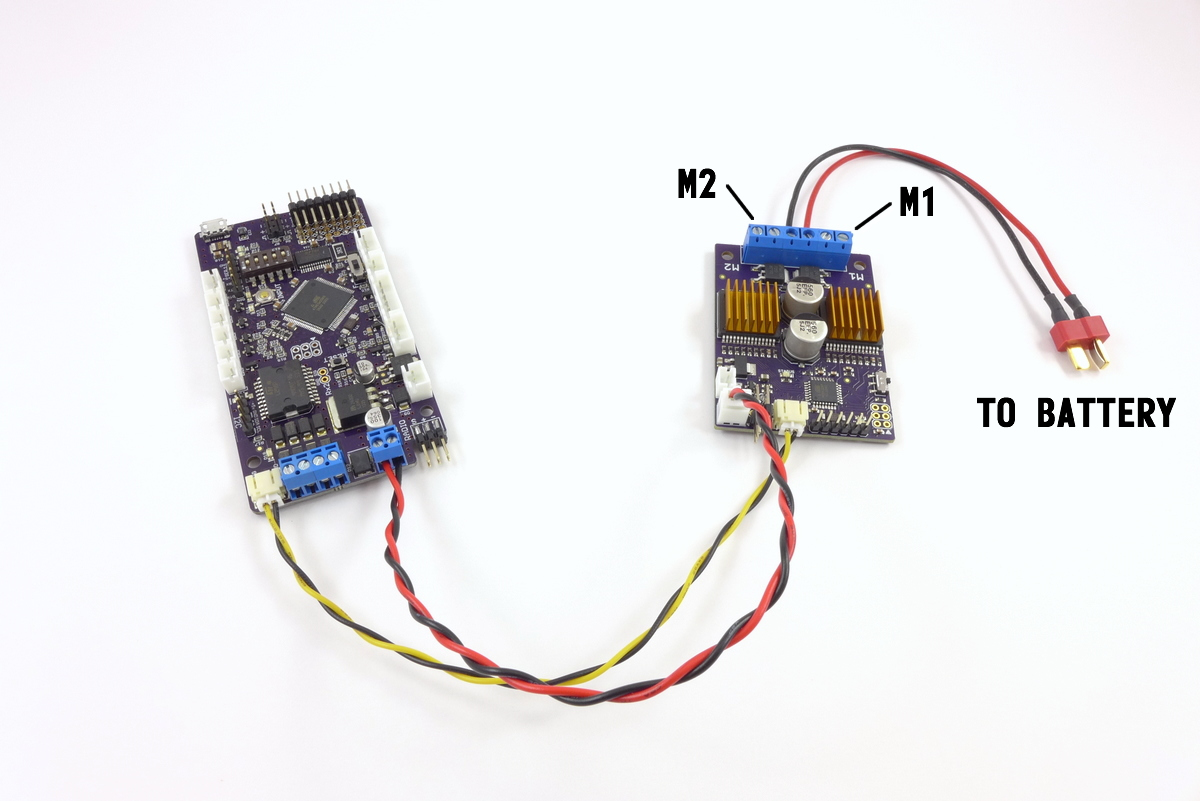
The Scout was designed specifically with the TCB in mind and setup is a breeze. Connect the Scout and TCB with two cables - a power cable and the serial communication cable. If you are using the Scout for drive motors, make sure the address switch on the Scout is set to Address A. If you are using the Scout for turret motors, set the switch to Address B. Connect your battery to the Scout's power input terminals and hook up your motors. Select the Scout as the motor type in OP Config and that's it, you're done.
For more information on the Scout and using it in robotics or other applications, see the Scout ESC Wiki page.
Dimension Engineering Sabertooth Setup
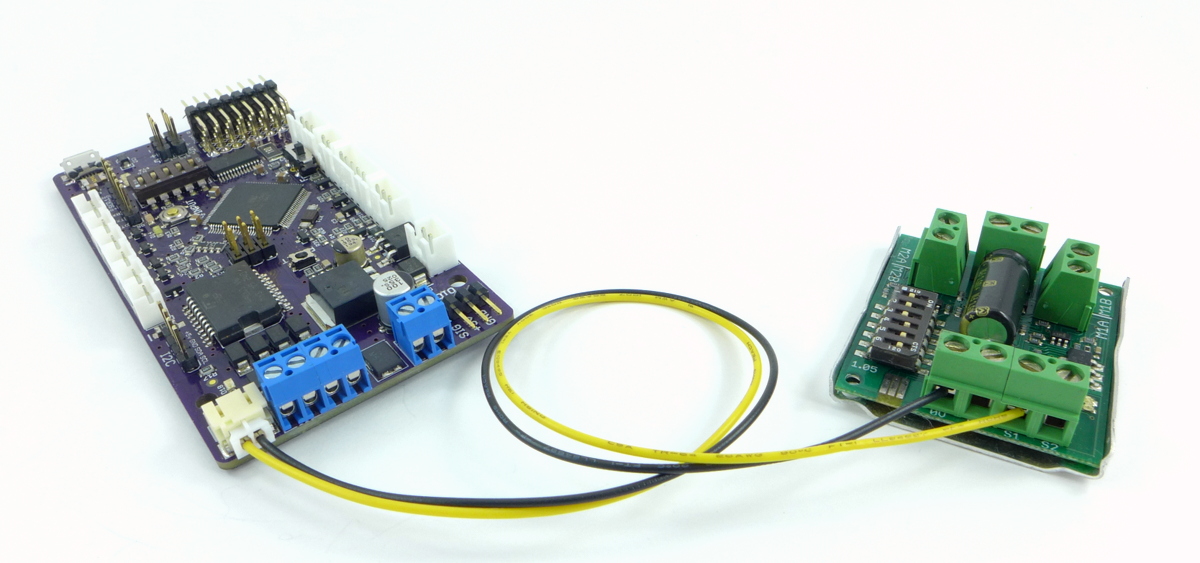
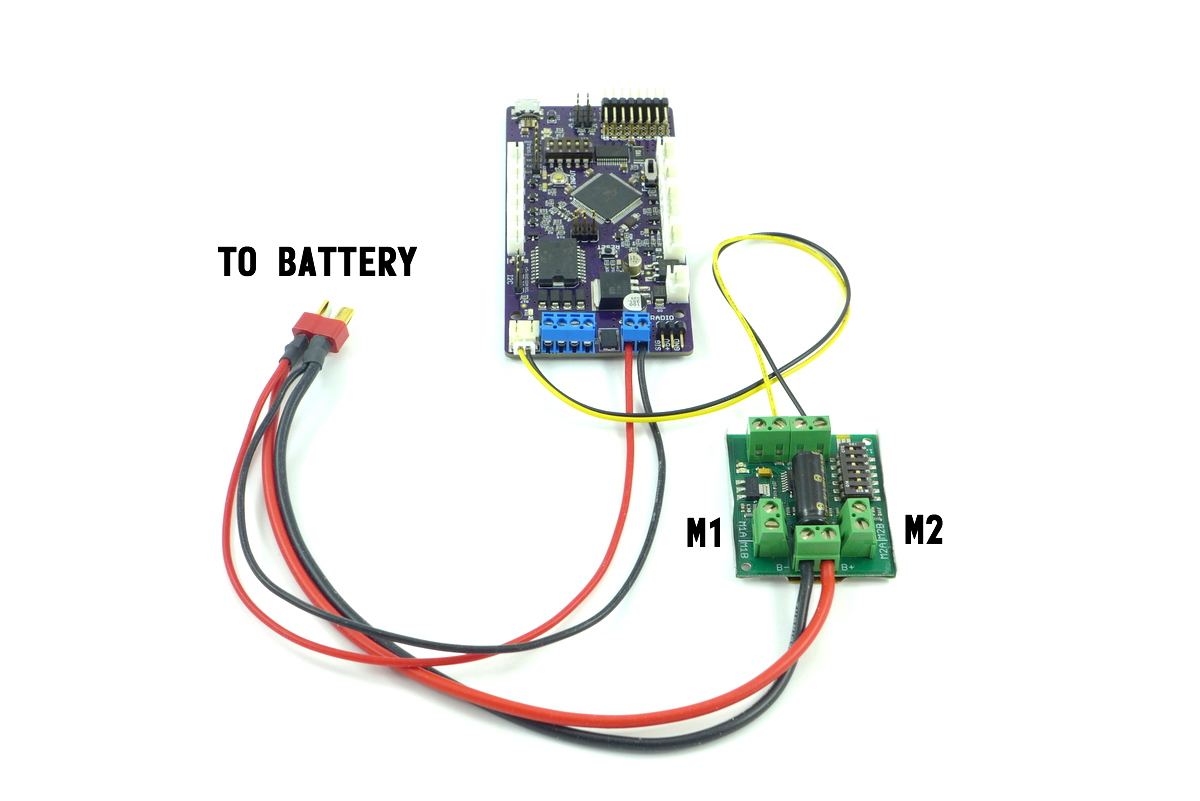
The Dimension Engineering Sabertooth controller will plug into the MOTOR SERIAL port of the TCB using a 2-conductor JST-PH plug. The pins are marked on the underside of the TCB as SIG and GND. Connect GND to the “0V” screw terminal on the Sabertooth, and SIG to the “S1” terminal on the Sabertooth. The picture below shows the Sabertooth 2×5 but the connection is the same for all Sabertooth controllers.
Sabertooth settings for drive control
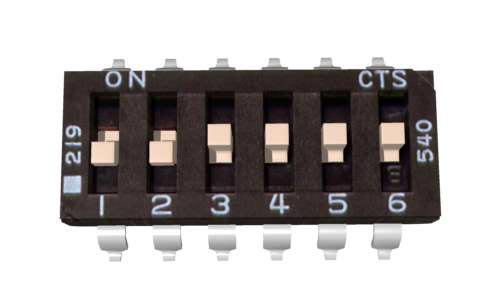 Every Sabertooth device has a 6-position dipswitch. If you are using any Sabertooth for drive motor control, switches 1 and 2 should be set to Off, and 3, 4,5,6 set to On.
Sabertooth settings for turret control (except Sabertooth 2x32)
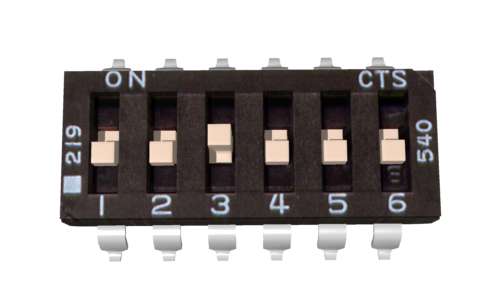 If you are using the Sabertooth for turret motor control, the switch position depends on which Sabertooth you are using - if you are not using the Sabertooth 2×32, set switch 3 to On and all the others to Off.
Sabertooth settings for turret control - 2x32 only
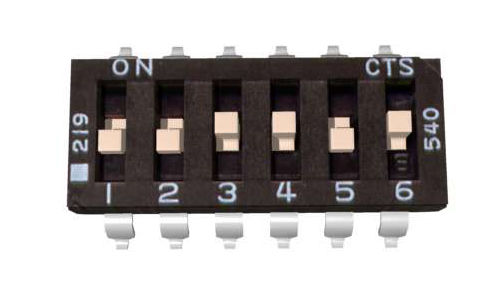 If you are using the Sabertooth 2×32 for turret motor control, set switches 3, 4, and 6 to On, and 1,2, and 5 to Off, and set the device address to 135 using the Dimension Engineering DEScribe software.
Pololu Qik Setup
Pololu sells two models of Qik controllers - the 2s12v10 (dual 13 amp continuous, 30 amp peak) and the 2s9v1 (dual 1 amp continuous, 3 amp peak). The 2s12v10 should have plenty of power to control virtually any 1/16th scale tank.
The 2s9v1 has limited utility since the TCB's own onboard dual motor controllers can source up to 2 amps each so it makes more sense to use them than to buy an additional component. The 2s9v1 also needs a separate 5v supply in addition to battery voltage, so the wiring is a little more involved (you can take 5v from an unused servo connector on the TCB if needed). However in some cases the 2s9v1 could be useful: for example if the TCB is installed in a lightweight 1/24th scale model, you could use the TCB's onboard motor controllers for the tanks's drive motors, and use a 2s9v1 for the two turret motors.
Note: Unlike the TCB which is configured with dip-switch settings, the Pololu Qik controllers are configured programmatically. This only needs to be done once per controller, and can be accomplished with a single click using the configuration buttons in OP Config on the Misc tab.
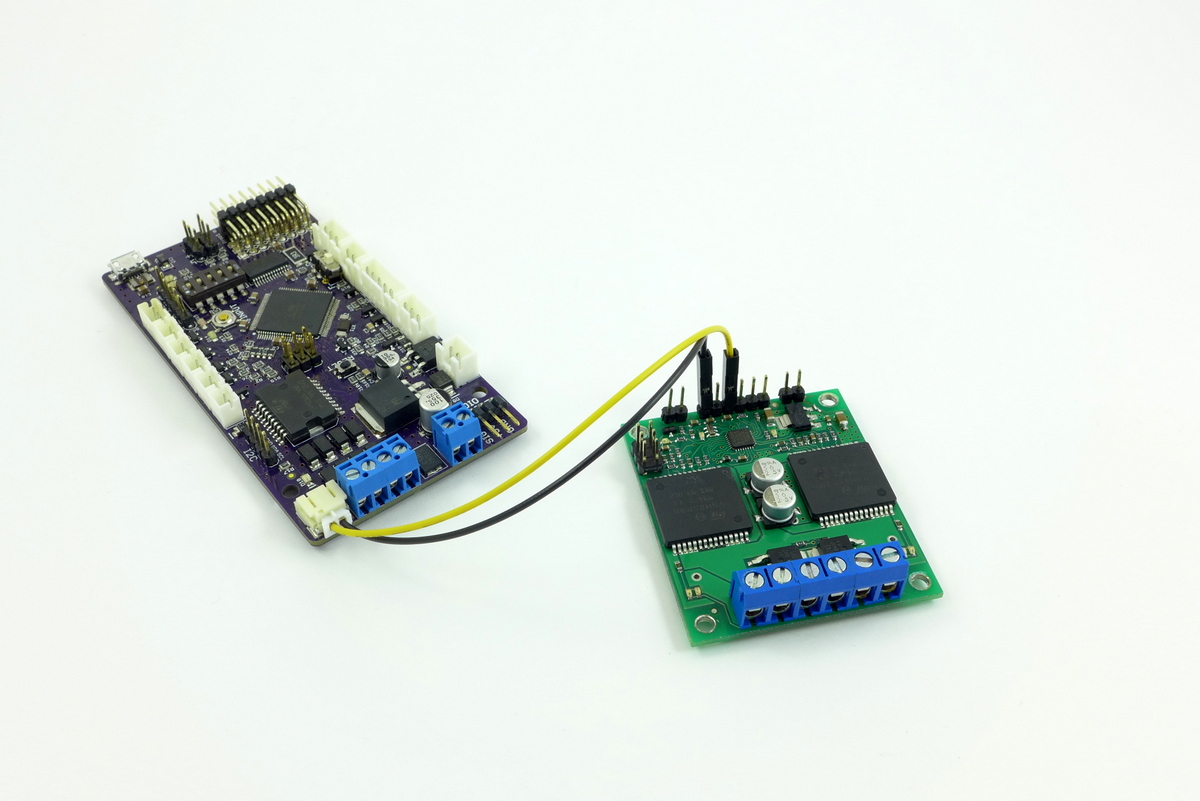
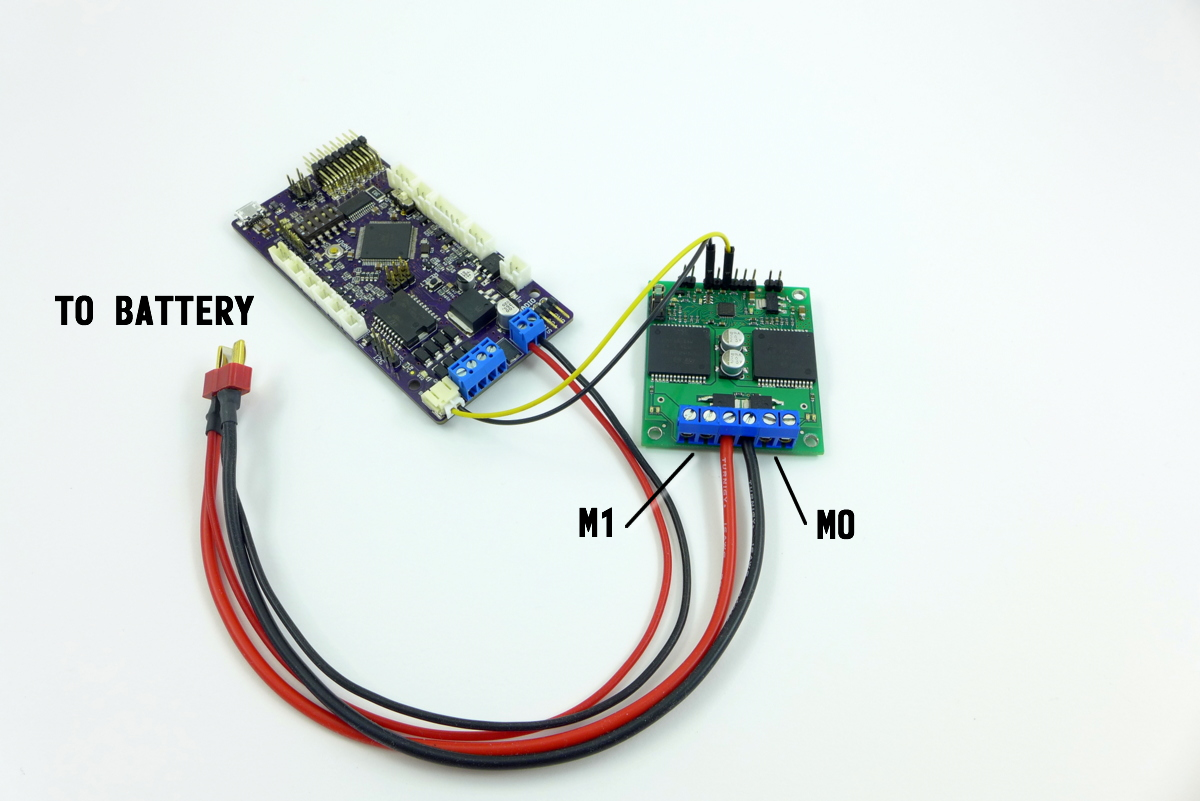
The photos below show how to connect the 2s12v10 to the TCB. The Pololu's Rx and Gnd pins are connected to the TCB's Motor Serial connector. Power is applied to the Pololu's battery input screw terminals.
Using Two Dual Serial Motor Controllers at Once
If you want to power both drive motors and both turret motors (rotation and barrel elevation) with two dual-motor serial controllers, you can do so, but since the TCB only has a single connector for the serial motor controller, you will need to make a custom Y-cable.
Each controller will need to have a unique address, but this is already accomplished by configuring one for drive motors and one for turret motors. This is described above, but for the Scout ESC this is accomplished with the address switch on the device, for the Sabertooth use the dipswitch settings on the controller itself, and for Pololu controllers the address must be programmed onto the device and there is a configuration utility to do this on the Misc tab of OP Config.