This is an old revision of the document!
Sound Cards
The Open Panzer TCB is designed to work specifically with the Benedini TBS Mini (and Micro) sound boards. The TBS Mini sound unit is already widely used by RC tankers and is considered the premier sound solution in terms of features, performance and size. To learn more, visit the Benedini website:

Connecting to the TCB
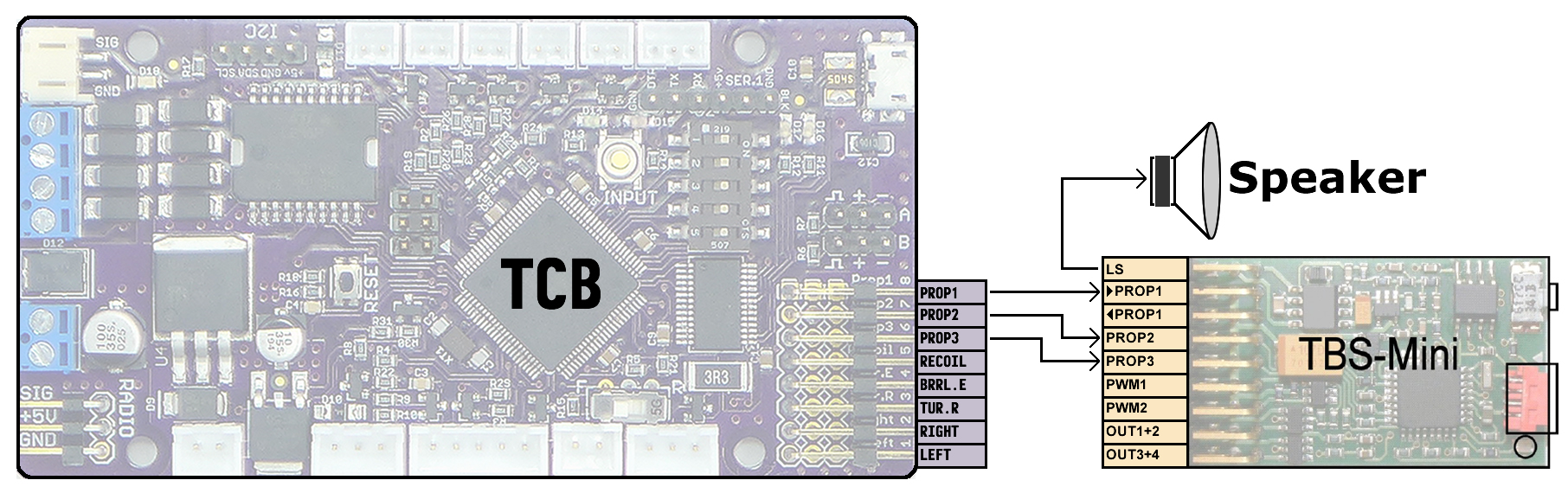
The TCB has three RC outputs dedicated to the TBS Mini. They are labeled Prop1, Prop2, and Prop3 which are the same labels used on the TBS Mini.
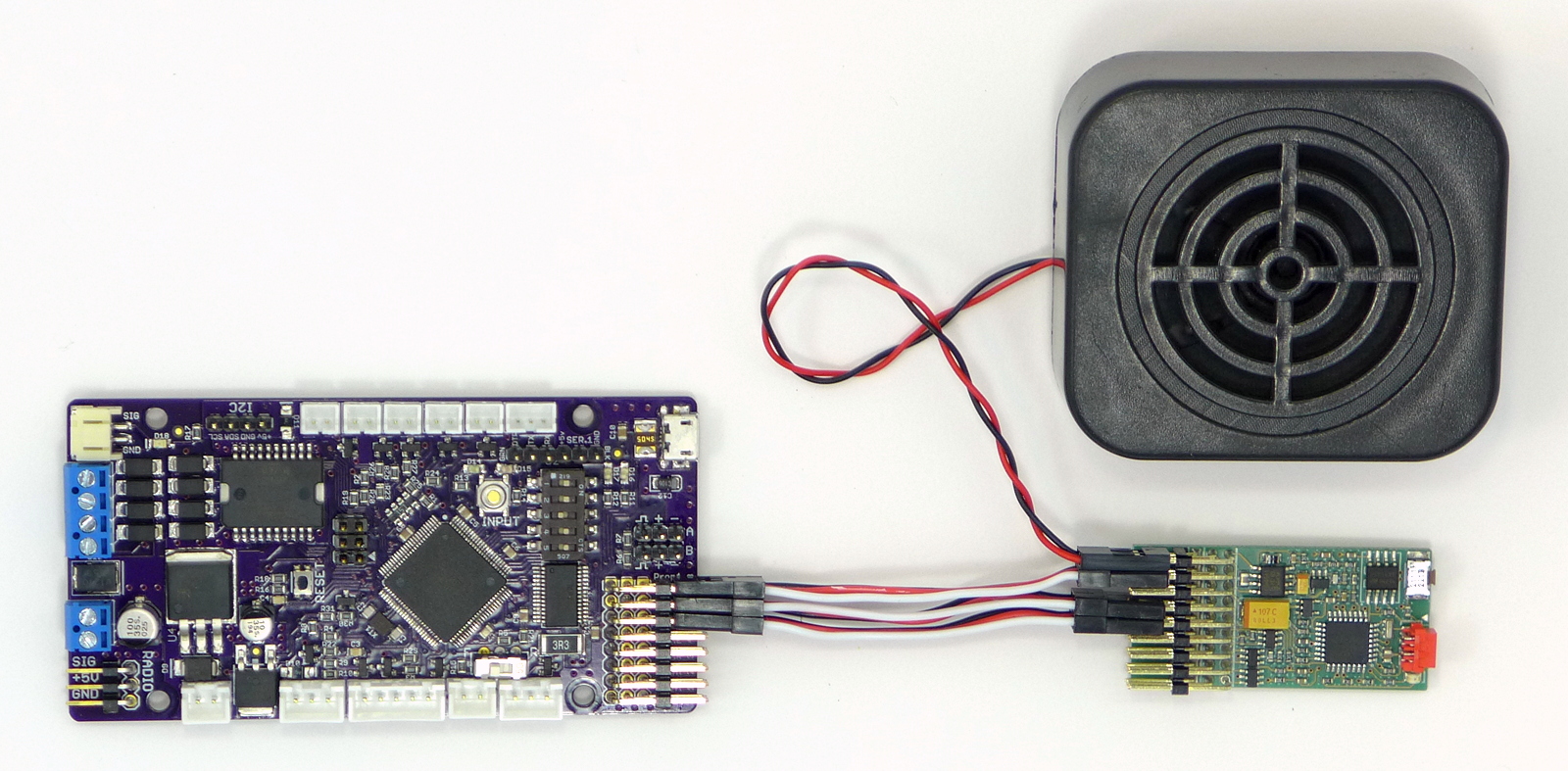
Note that the TBS Mini has two Prop 1 connections, one for incoming and one for outgoing. Connect the TCB to the incoming Prop 1 connection.
Use male-to-male servo cables for the connection. The TCB will supply all the power necessary to the TBS Mini.
TBS Mini Setup
Benedini provides free configuration software for their devices. The software used for the TBS Mini/Micro is called TBS-Flash and can be downloaded from the Benedini website. Please read the Benedini manual to learn about all the many features. The information here is not a comprehensive overview of TBS-Flash but just a highlight of the specific settings you need in order for it to work with the Open Panzer TCB.
In TBS-Flash you manage all your sound files on the Sounds tab. In addition to 6 engine sounds, TBS-Flash allows you to define 16 extra sounds. But at present the TCB can only activate up to 12 extra sounds of which 10 need to be for specific actions (such as cannon fire for example, the full list is described below). These sounds can be imported in any order on the Sounds tab, but will then need to be assigned to specific slots on the Parameter tab of TBS-Flash. We also need to configure several settings on the Parameter tab. The screenshot below highlights the important areas:
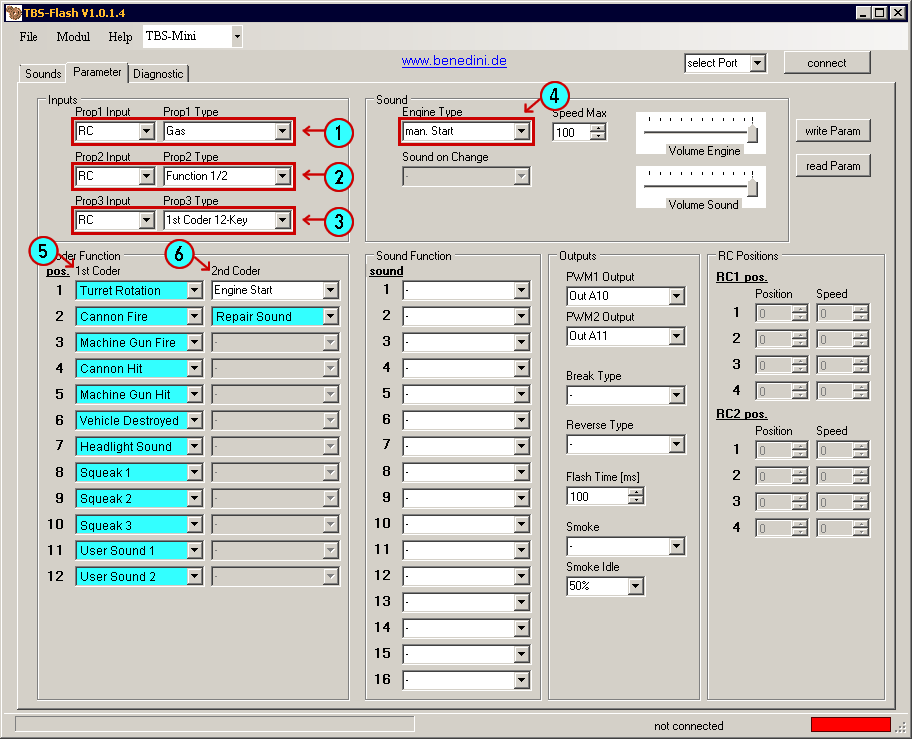
- Prop 1: Set Prop 1 Input to RC and Prop 1 Type to Gas.
- Prop 2: Set Prop 2 Input to RC and Prop 2 Type to Function 1/2.
- Prop 3: Set Prop 3 Input to RC and Prop 3 Type to 1st Coder 12-Key.
- Engine Type: Set to man. Start.
- 1st Coder: In the 1st Coder column you must select the sound number from the Sounds tab that matches the sound description shown in the screenshot above. Example: On the TBS-Flash Sounds tab you imported your cannon fire sound into the Sound 6 slot. On the Parameter tab, you need to select "Sound 6" in the 1st Coder "pos. 2" drop-down list, because position 2 is where the TCB is going to expect the cannon fire sound.
- 2nd Coder: There are only two sounds available in the 2nd Coder column. In position 1 you must select Engine Start from the drop-down list. This will be an actual selection in the list. In the position 2 slot, select the sound number from the Sounds tab that represents the repair sound.
The other settings in TBS-Flash you can set as you like and are not discussed here. When you have the Parameter tab configured as shown above, make sure you click the write Param button in TBS-Flash to save these settings to your TCB Mini/Micro. It is also recommended you save a copy of the parameter file to your hard-drive for backup.