Table of Contents
This is an old revision of the document!
Open Panzer Sound Card in RC Mode
The Open Panzer project is working on their own version of a sound card. The sound card is in beta-testing and is NOT available for purchase yet.
NOTE!
The instructions on this page only apply when the sound card is used directly with generic RC equipment. If you are using the sound card in combination with the TCB (Tank Control Board) then the instructions and sound files will be different. In that case do not refer to this page, instead Click Here
General Features
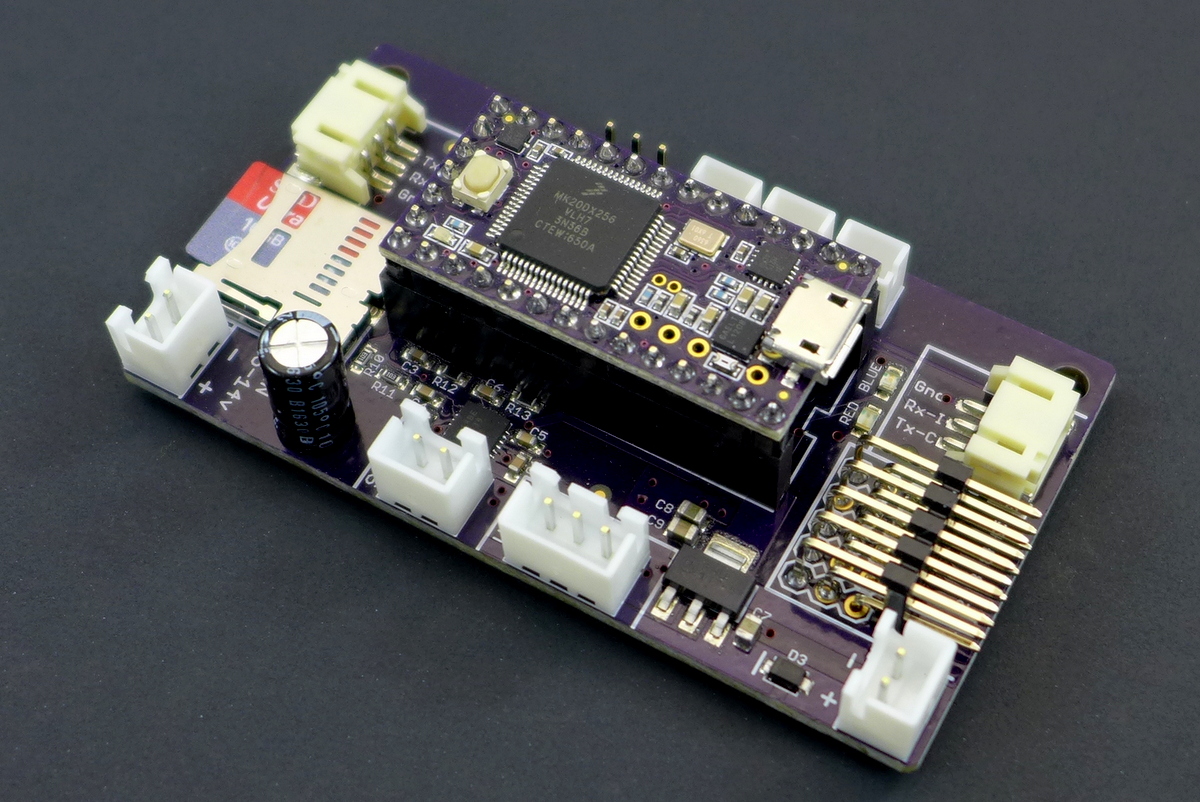 The sound card is actually made up of two components. First, a PJRC Teensy 3.2 is used as the onboard processor. The Teensy is then plugged into a socket on our custom carrier board that adds a Micro SD card slot (max 32 GB), a Maxim 9768 10 watt mono amplifier, and headers for external connections.
- Supports 16 bit 44,100 Hz WAV files (CD quality)
- Controlled by up to 5 channels of standard RC input. Each channel can be configured for multiple types of control, including switches of up to 6 positions.
- Board settings are defined by an “ini” file (a specially formatted text file) which the user must include on the micro-SD memory card along with their sound files. A convenient INI Creator Utility can be downloaded which makes generating the ini file a breeze (Windows only).
- Volume control - either with a physical potentiometer or directly from a knob on your transmitter. In fact you can use both volume control sources and the card will intelligently respond to whichever control is currently being adjusted.
- Three switchable light outputs, and one servo output used for a recoil servo.
- A full complement of engine sounds is supported.
- Cannon and machine gun sounds (with synchronized light outputs for both and recoil servo for the cannon)
- 20 custom user sounds, directly accessible
- An additional two banks of 20 sounds each that can be controlled like a typical playlist, for example play next, play previous, play random, etc…
- Some sounds support multiple versions, for example you can assign up to 5 distinct idle sounds and the card will choose a different one each time the vehicle returns to idle. But if you don't have 5 idle sounds don't worry, the firmware is smart enough to automatically use as few or as many as you put on the memory card.
- Sound functions are identified automatically by the file name, see below for a complete table.
Micro SD Card Notes
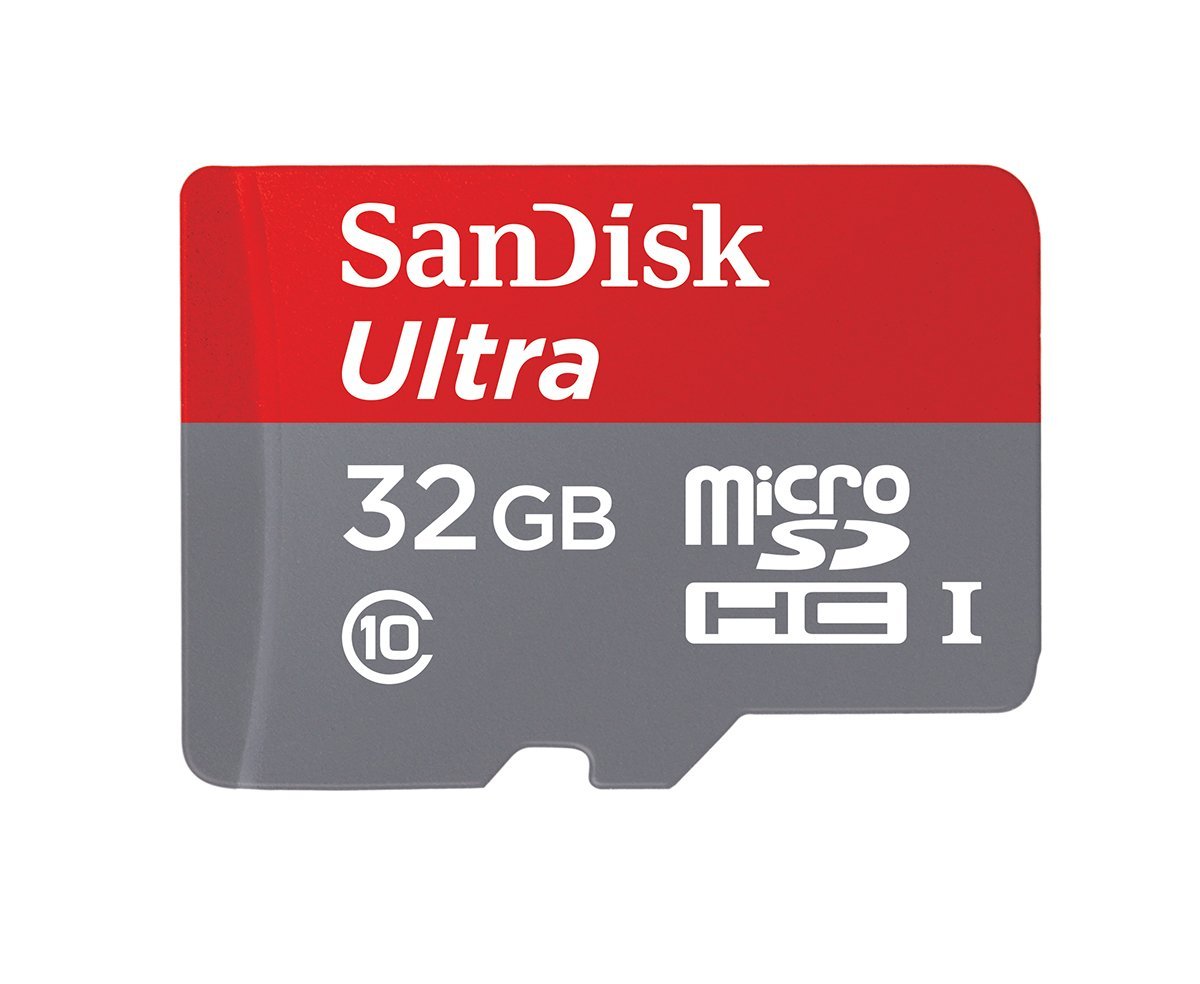 Not all SD cards are created equal. To get reliable simultaneous sound performance, we recommend using SanDisk Ultra SD cards such as these. They can be any capacity up to 32 GB. Format should be FAT32.
Hookup
LED Key
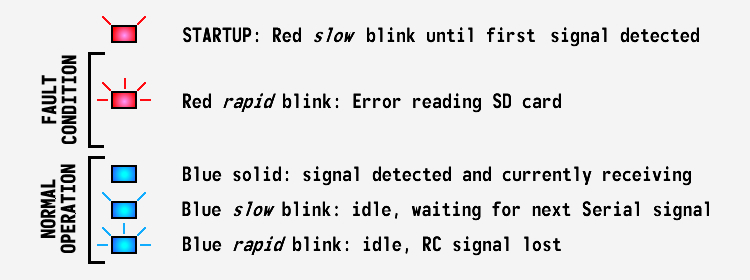 The sound card has two status LEDs, one blue and one red. On startup, the red LED will blink rapidly if unable to read the memory card, otherwise it will blink slowly until an input signal is received, either from the serial port or an RC channel. Whichever type is detected first is the mode the sound card will use until the next reboot. Once a signal is detected the red LED will turn off.
If a memory card error is indicated, turn off power to the device. Check to make sure your memory card is present and inserted all the way, and that sound files on the card are in the correct format and named correctly (see the table below for file names).
So long as the input is active the blue LED will remain solid. If in RC mode and connection is lost on all 5 channels, the blue LED will blink rapidly. If in Serial mode the blue LED may blink slowly if no command has been given for a length of time - this is not an error, it simply indicates idle status.
Test Mode
When the sound card is powered up with a jumper attached to RC input 1 such that the signal pin is held to ground, it will enter a test routine. During this mode the device will sequentially play in full each sound that it finds on the memory card, or at least each sound that it knows to look for (see the full list below). Debugging information will be printed out the USB port while this occurs. When every sound has been played it will start over from the beginning and repeat this process continuously until the jumper is removed. This can be useful in identifying which sounds the device thinks it can find, and whether they sound as you expect, etc…
Sound Files
The sound card identifies the function of each sound by its file name, so you must name your files exactly as shown in the table below. Note we are limited to the 8n3 format, meaning file names cannot exceed 8 characters. You do not need to include every sound, any that are omitted will simply be ignored by the sound for that function.
Sound files must be saved as 16 bit 44,100 Hz WAV files. It doesn't matter if the files are in mono or stereo format, but since the card can only drive a single speaker any stereo files will be output as mono.
Sound Effects |
|||
| Effect | File Name | Optional | Notes |
|---|---|---|---|
| Machine Gun Fire | mg.wav | mg_start.wav mg_stop.wav |
The optional start and stop sounds will play at the beginning or end of the repeating portion, if present. When the machine gun sound is playing, the Light 1 output will blink at the frequency defined in INI Creator. |
| Second Machine Gun Fire |
mg2.wav | mg2start.wav mg2stop.wav |
The optional start and stop sounds will play at the beginning or end of the repeating portion, if present. When the machine gun sound is playing, the Light 2 output will blink at the frequency defined in INI Creator. |
| Third Machine Gun Fire |
mg3.wav | mg3start.wav mg3stop.wav |
The optional start and stop sounds will play at the beginning or end of the repeating portion, if present. When the machine gun sound is playing, the Light 3 output will blink at the frequency defined in INI Creator. |
| Cannon Fire | cannonf.wav | When the cannon is fired the Light 1 output will flash for the length of time specified in INI Creator. Additionally the recoil servo output will initiate a recoil action using the times and endpoints defined in INI Creator. | |
| Second Cannon Fire | cannonf2.wav | When the second cannon is fired the Light 2 output will flash for the length of time specified in INI Creator. There is NO recoil servo action for the second cannon. | |
| Third Cannon Fire | cannonf3.wav | When the third cannon is fired the Light 3 output will flash for the length of time specified in INI Creator. There is NO recoil servo action for the third cannon. | |
| Light 1 Sound | light1.wav | Will play when Light 1 is turned on, off, or toggled (sound will not play for blink or flash - if you want a sound with a flashing effect using one of the Cannon functions). | |
| Light 2 Sound | light2.wav | Will play when Light 2 is turned on, off, or toggled (sound will not play for blink or flash - if you want a sound with a flashing effect using one of the Cannon functions). | |
| Light 3 Sound | light3.wav | Will play when Light 3 is turned on, off, or toggled (sound will not play for blink or flash - if you want a sound with a flashing effect using one of the Cannon functions). | |
| Squeaks | squeak1.wav squeak2.wav squeak3.wav squeak4.wav squeak5.wav squeak6.wav |
Squeak frequency is defined by the controlling device, ie the TCB (see the Sounds tab of OP Config) | |
| Track Overlay Sounds |
tracks1.wav tracks2.wav tracks3.wav tracks4.wav tracks5.wav tracks6.wav tracks7.wav tracks8.wav tracks9.wav tracks10.wav |
trkstart.wav trkstop.wav |
Track/tread overlay sounds when vehicle moving, with tracks1.wav played at the slowest speed and higher numbers being faster speed. Not all sounds are required, as many as are included will automatically be evenly distributed across the entire speed range. Optional start and stop sounds can be added that will play when the vehicle first begins to move or just comes to a stop. |
| User Sounds | user1.wav user2.wav user3.wav . . . user18.wav user19.wav user20.wav |
You can play, repeat or stop any of up to 20 user sounds. | |
| Sound Bank A | a_bank1.wav a_bank2.wav a_bank3.wav . . . a_bank18.wav a_bank19.wav a_bank20.wav |
Sound Bank A is a collection of up to 20 sounds, rather than controlling each one individually as in the case of user sounds, they can be controlled in the same way as a playlist on an MP3 player - play next, play previous, play random, etc... | |
| Sound Bank B | b_bank1.wav b_bank2.wav b_bank3.wav . . . b_bank18.wav b_bank19.wav b_bank20.wav |
Sound Bank B is a collection of up to 20 sounds, rather than controlling each one individually as in the case of user sounds, they can be controlled in the same way as a playlist on an MP3 player - play next, play previous, play random, etc... | |
| Confirmation Beep | beep.wav | ||
Engine Sounds |
||
| Effect | File Name | Notes |
|---|---|---|
| Engine Start | enstart1.wav | Default/Cold start |
| Engine Hot Start | enstart2.wav | Optional, if present will use on second and subsequent starts |
| Engine Idle | enidle1.wav enidle2.wav enidle3.wav enidle4.wav enidle5.wav |
If multiple idle sounds specified, a different one will be played each time vehicle returns to idle. |
| Engine Idle - Damaged State |
enidle_d.wav | An optional alternate idle sound that will be played when the vehicle has sustained damage in IR battle (in the manner of Tamiya). |
| Engine Accelerate | enaccl1.wav enaccl2.wav enaccl3.wav enaccl4.wav enaccl5.wav |
The acceleration sound is played as a transition from idle to moving. If multiple sounds specified, a different one will be played each time vehicle begins moving. |
| Engine Decelerate | endecl1.wav endecl2.wav endecl3.wav endecl4.wav endecl5.wav |
The deceleration sound is played as a transition from moving to stopped (idle). If multiple sounds specified, a different one will be played each time vehicle stops moving. |
| Vehicle Moving | enrun1.wav enrun2.wav enrun3.wav enrun4.wav enrun5.wav enrun6.wav enrun7.wav enrun8.wav enrun9.wav enrun10.wav |
Engine sound when vehicle moving, with enrun1.wav being the slowest speed and higher numbers being faster speed. Not all sounds are required, as many are specified will automatically be evenly distributed across the entire speed range. |
| Engine Shutdown | enstop.wav | |
Further Resources
- A discussion of the development of this card can be found in this thread: Open Source Sound using Teensy 3.2 and PJRC Audio Library.
- Source code, compile instructions and latest hardware information is available on GitHub: Open Panzer Sound